

Learn and practice log investigation, pcap analysis and threat hunting with Brim.
Link: https://tryhackme.com/room/brim
“BRIM is an open-source desktop application that processes pcap files and logs files. Its primary focus is providing search and analytics. In this room, you will learn how to use Brim, process pcap files and investigate log files to find the needle in the haystack! This room expects you to be familiar with basic security concepts and processing Zeek log files. We suggest completing the “Network Fundamentals” path and the “Zeek room” before starting working in this room.”
Task 3: The Basics
Process the “sample.pcap” file and look at the details of the first DNS log that appear on the dashboard. What is the “qclass_name”?
Ans: C_INTERNET
_path=="dns" | cut qclass_name | uniq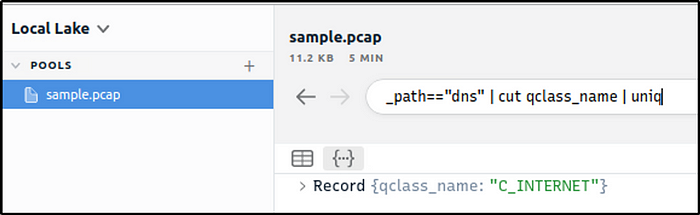
Look at the details of the first NTP log that appear on the dashboard. What is the “duration” value?
Ans: 0.005
_path=="ntp" | sort -r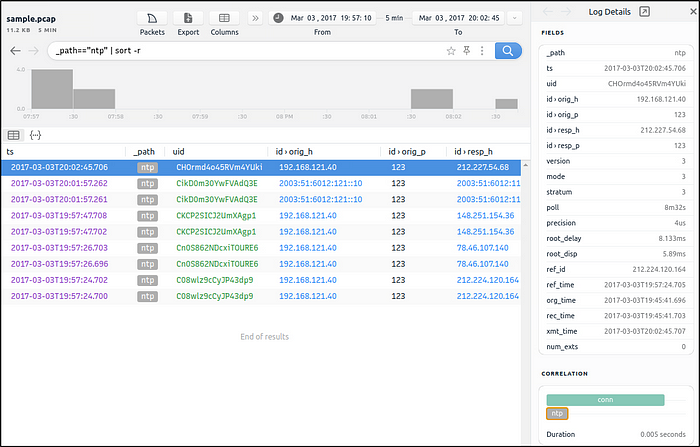
Look at the details of the STATS packet log that is visible on the dashboard. What is the “reassem_tcp_size”?
Ans: 540
_path=="stats" | cut reassem_tcp_size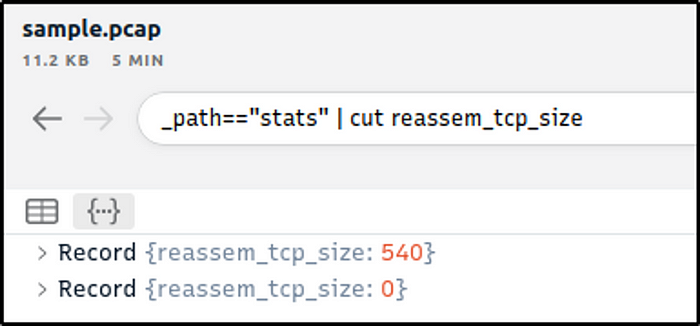
Task 4: Default Queries
Investigate the files. What is the name of the detected GIF file?
Ans: cat01_with_hidden_text.gif
_path=="files" | cut filename| uniq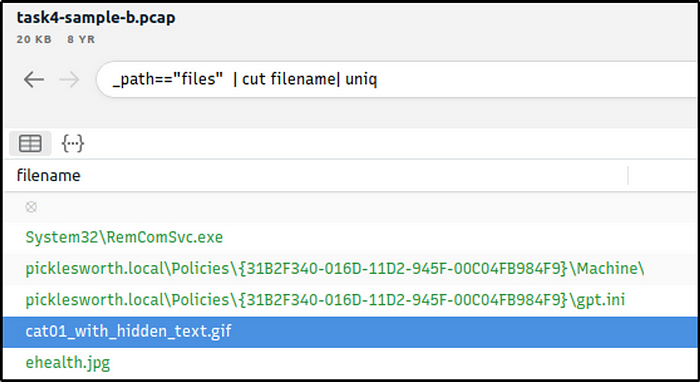
Investigate the conn logfile. What is the number of the identified city names?
Ans: 2
_path=="conn"| cut geo.resp.city | sort | uniq -c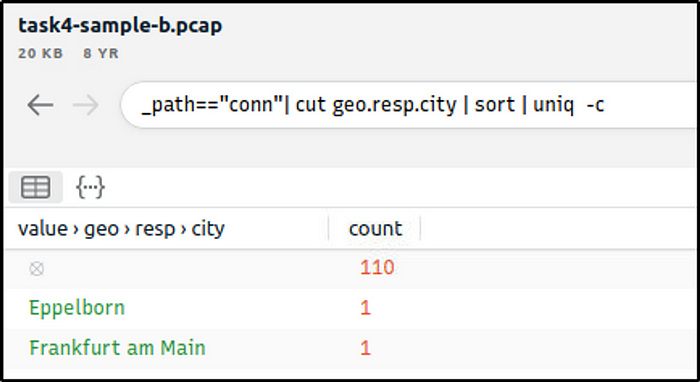
Investigate the Suricata alerts. What is the Signature id of the alert category “Potential Corporate Privacy Violation”?
Ans: 2,012,887
event_type=="alert" | cut alert.signature, alert.category, alert.signature_id | uniq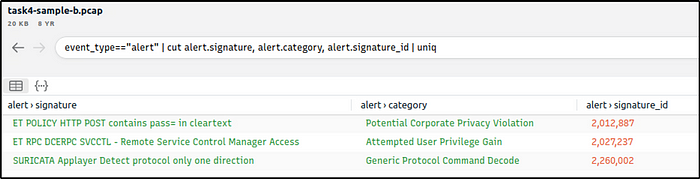
Task 6 Exercise: Threat Hunting with Brim | Malware C2 Detection
What is the name of the file downloaded from the CobaltStrike C2 connection?
Ans: 4564.exe
We know that 104.168.44.45 is the first CobaltStrike C2 server identified.
_path=="http" | cut host, uri | uniq -c | 104.168.44.45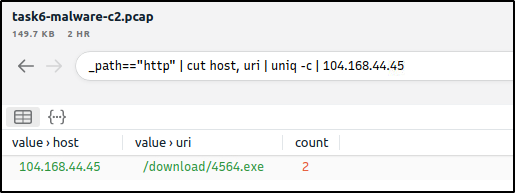
What is the number of CobaltStrike connections using port 443?
Ans: 328
_path=="conn" id.resp_h==104.168.44.45 id.resp_p==443 | count() by id.resp_p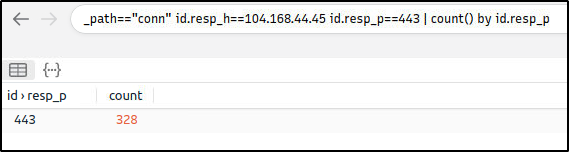
There is an additional C2 channel in used the given case. What is the name of the secondary C2 channel?
Ans: IcedID
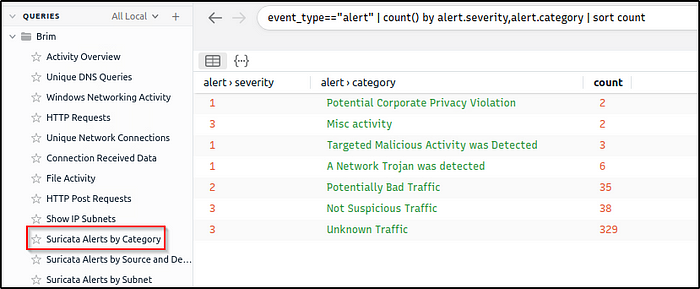
We will leverage the Suricata rules within Brim by investigating all “Alerts by Category”. After looking into the categories, we found a C2 channel. ( I am quite not familiar yet with the other C2 channels aside from the more popular ones, so it took me awhile to answer this.)
In the category “A Network Trojan was detected”, under the alert.signature field, we see the C2 channel
alert.category=="A Network Trojan was Detected"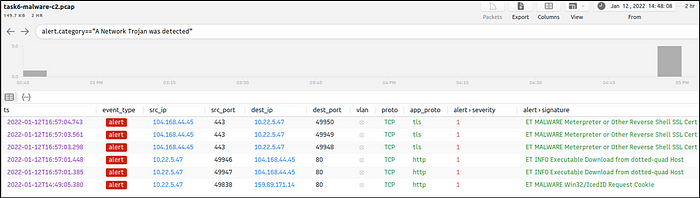
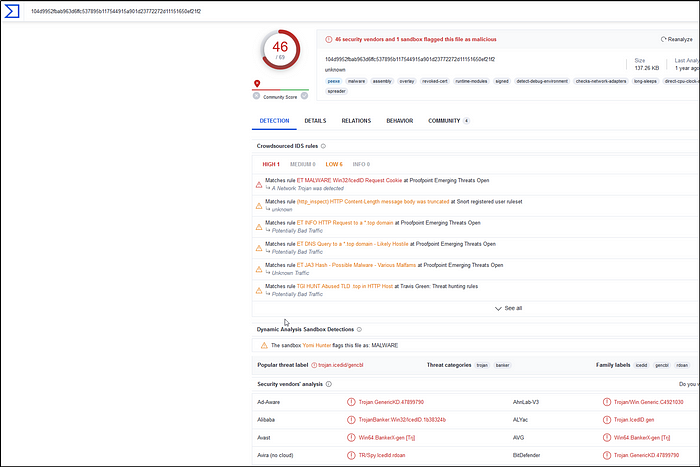
We can also use VirusTotal and search for the IP address identified.
We will then click on one of the communicating files.

The C2 name is found in the Detection section.
Task 7 Exercise: Threat Hunting with Brim | Crypto Mining
How many connections used port 19999?
Ans: 22
_path=="conn" id.resp_p==19999 | count() by id.resp_p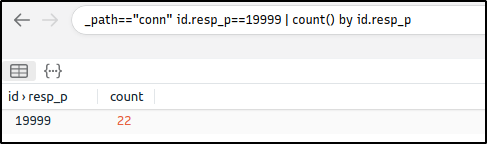
What is the name of the service used by port 6666?
Ans: irc
_path=="conn" id.resp_p==6666 | cut service | uniq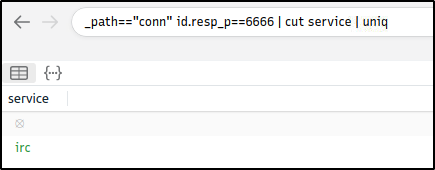
What is the amount of transferred total bytes to “101.201.172.235:8888”?
Ans: 3,729
This filter adds a new column,”total_bytes”, that is the sum of bytes sent and received by 101.201.172.235:8888
_path=="conn" | put total_bytes := orig_bytes + resp_bytes | 101.201.172.235 | 8888| cut uid, id, orig_bytes, resp_bytes, total_bytes
What is the detected MITRE tactic id?
Ans: TA0040
We will first filter all alerts.
event_type=="alert"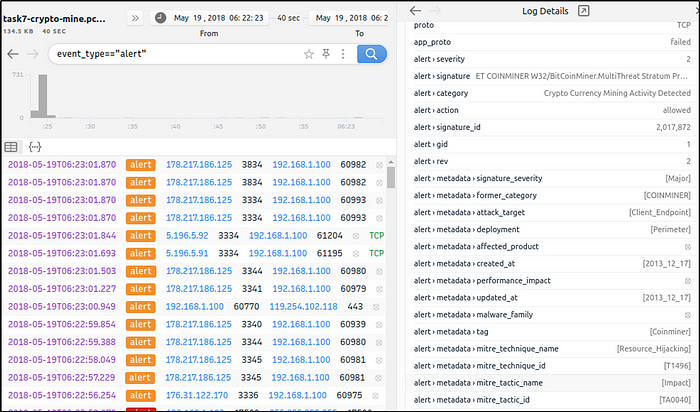
We will then modify the filter if there are other tactic IDs that have been detected. There is only one tactic ID detected so far.
event_type=="alert" | cut alert.metadata.mitre_tactic_id | sort | uniq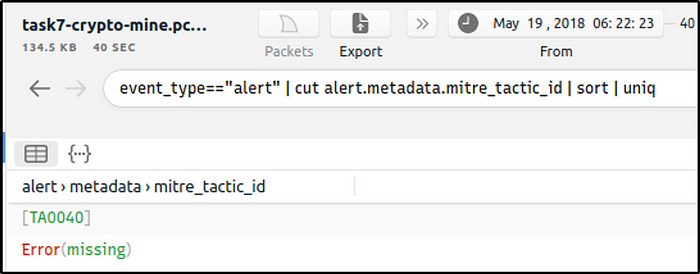
Thanks for reading! Happy learning 🙂
 Igor_sec's Blog
Leave a comment